Multi-cloud with Crossplane at Qbeast
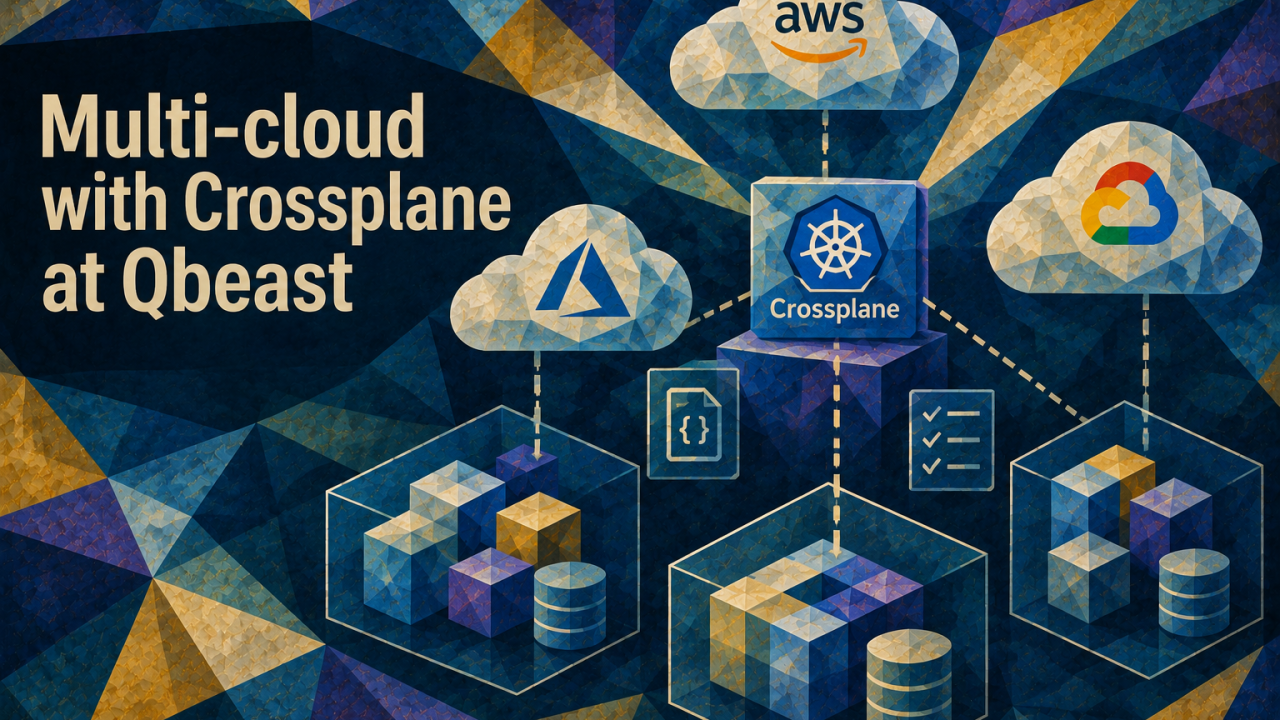
Our last post described Qbeast's split-plane architecture, which consists of a control plane in our account that deploys our software into the customer cloud, where the data stays. We summed the control plane up as "built on Crossplane", and this post elaborates on how it actually works.
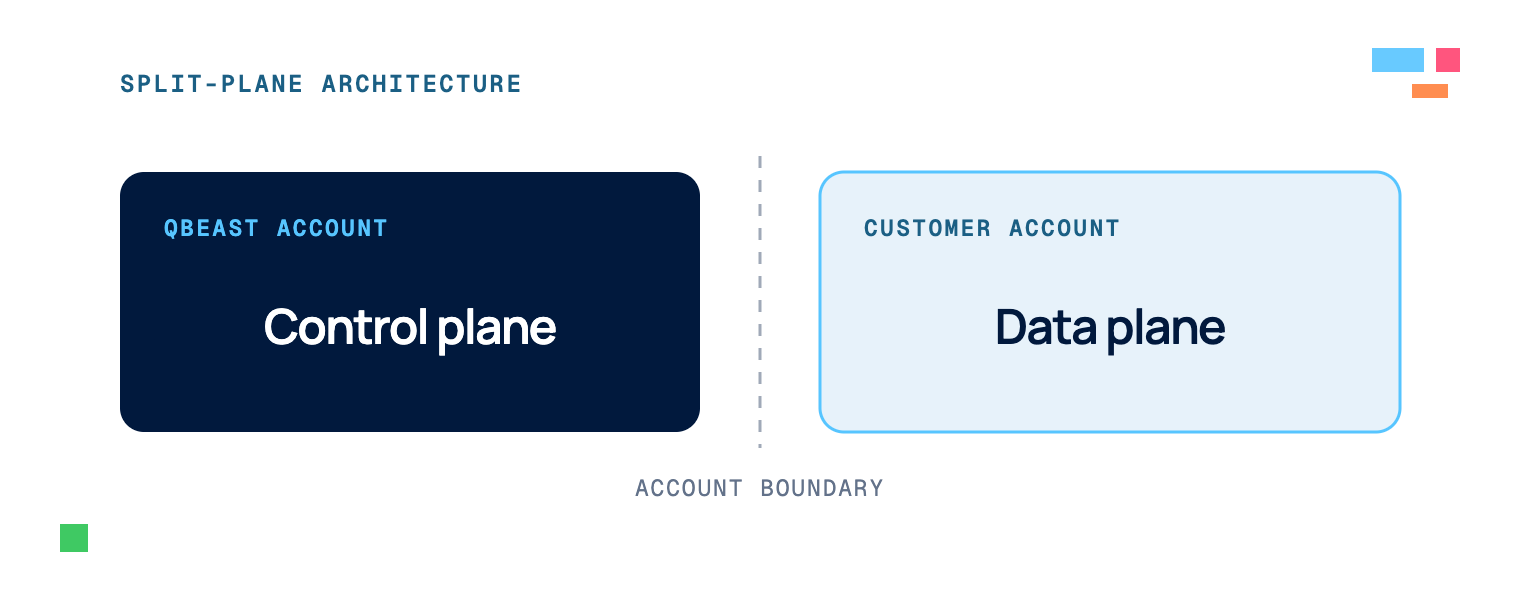
With the control plane running in the Qbeast account and the data plane running in the customer account, we refer to this as a split-plane architecture.
The hard part of multi-cloud is not handling any single resource. Provisioning a bucket, a network, or a Kubernetes cluster on one provider is a solved problem. The hard part is the composition. We run three deployment models (a cluster we manage, a cluster the customer already runs, and a local one for development) across three clouds (AWS, Azure, GCP), and each is built from the same handful of pieces: network, cluster, cloud access, storage, backend software, observability. The naive way to fill that matrix is to write every piece again for every cloud and every model, with the same "create a warehouse bucket" logic copied and kept in sync by hand.
We wanted instead to have one cloud-agnostic API, used the same way independent of the cloud, with each cloud specifics in exactly one place; we have been able to do it with Crossplane.
Crossplane is an open-source project that extends Kubernetes to manage infrastructure. You declare resource types and how they map to real cloud resources, and a controller reconciles what exists toward what you asked for, in the same way we manage native Kubernetes deployments or services using declarative manifests. For example, the Crossplane controller creates and configures an S3 bucket when the homologous custom resource is created in the K8s cluster.
Two of core Crossplane concepts run through this post:
- an XRD (Crossplane Composite Resource Definition) defines a custom API in the Kubernetes Crossplane cluster that can be called to deploy resources.
- a Composition defines what is deployed when a specific XRD is called.
Two XRD tiers: a public API over private building blocks
The code splits into two tiers. Deployments XRDs are the public API, and stacks XRDs are the private building blocks they are made of.
There are four deployments, one per scenario in our domain model:
- CustomerVPCManagedEnvironment and CustomerVPCProvidedEnvironment for the two production environment deployment scenarios
- Workspace for a Qbeast backend instance linked to a specific existing environment
- LocalEnvironment for local development
The deployments correspond to the top-level XRDs that the control plane API creates. When a user requests the creation of a deployment XRD, Crossplane triggers the compositions, which create other XRDs corresponding to the stacks as required by the deployment scenario.
A stack is a reusable building block focusing on one element of the system such as network, Kubernetes cluster, cloud access, warehouse storage, the USE backend, monitoring, and so on. Stacks may depend on each other: for example the network stack must be ready before the Kubernetes cluster stack can be setup. Stacks need to be piled up to build an environment, hence the name. A deployment is a recipe that picks the stacks its scenario needs.
The point of the split is that deployments stay cloud-agnostic. A deployment says what an environment contains, never how a cloud builds it. Every cloud provider-specific detail lives in a stack.
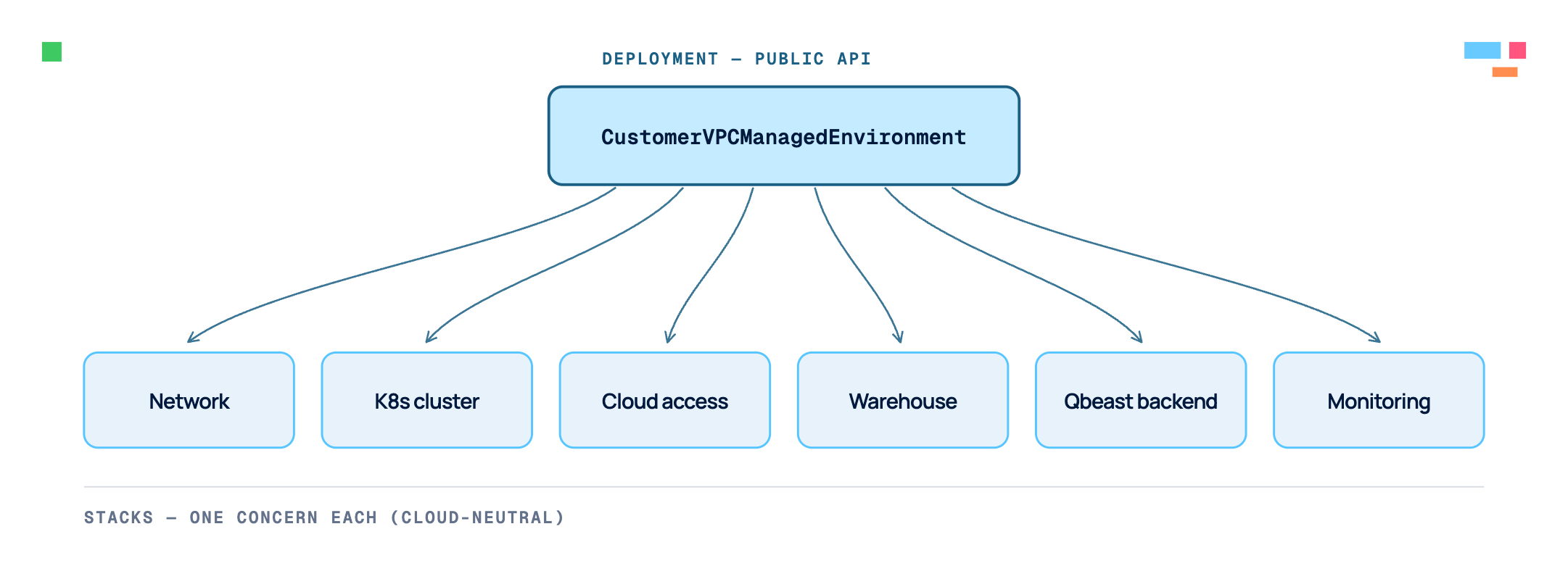
A deployment kind composing a handful of stack kinds beneath it.
The factory pattern: one interface, one implementation per cloud
Each stack has one cloud-neutral schema (one XRD, say NetworkStack) that mentions no provider. Compositions sit behind schemas, each labelled with the stack and cloud it implements. For the network stack that means one composition per cloud: the AWS and GCP versions satisfy the same NetworkStack and differ only in the resources they create. Stacks that are the same everywhere, like installing a Helm chart, have a single shared composition.
A deployment is the factory. It reads one field, the target cloud, and emits the stack resources its scenario needs, labelling each with the cloud it wants. Crossplane matches that to exactly one composition.
In the YAML code example:
- first we add the required labels to the Composition stack
- then we call a NetworkStack XRD using a compositionSelector, which selects the labeled composition
# A stack implementation declares which stack and cloud it is:
kind: Composition
metadata:
  name: network.aws.platform.qbeast.io
  labels:
    qbeast.stack: network
    qbeast.cloud: aws

# A deployment picks one by matching those labels:
kind: NetworkStack
spec:
  compositionSelector:
    matchLabels:
      qbeast.stack: network
      qbeast.cloud: aws
So one NetworkStack request becomes a VPC on AWS, a VNet on Azure, or a VPC on GCP, and nothing above the stack knows the difference. Each cloud's logic lives in one composition.
The use of labels lets us pick other variants, like an observe-only cluster or a lighter access mode, without adding top-level kinds. The public API stays at four deployments while the implementations below grow as needed.
If there is a need to support new cloud providers, we simply implement new stack compositions. It is not necessary to change the public API or the deployments above it.
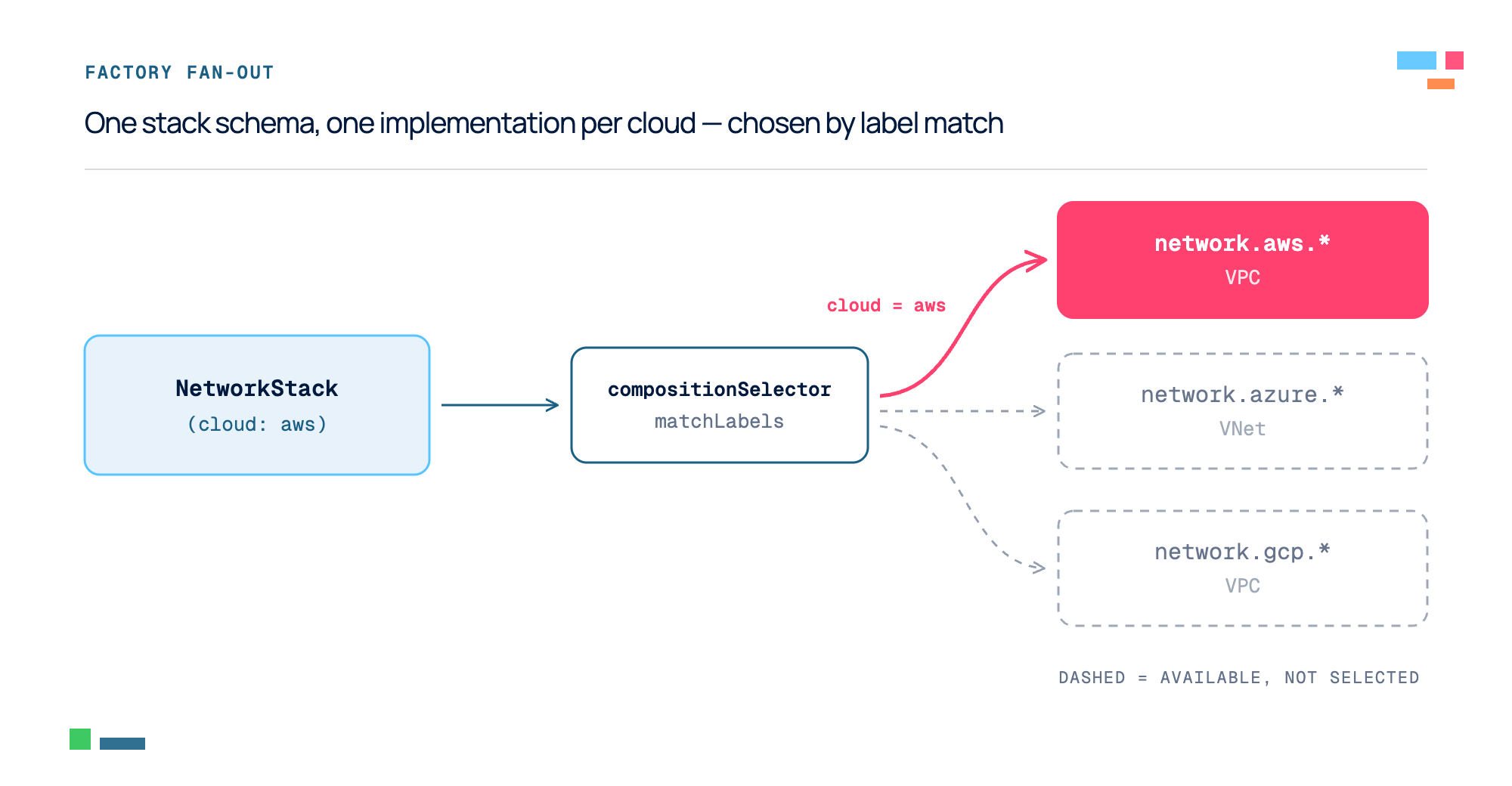
One stack request fanning out to AWS / Azure / GCP implementations via label selection.
The front door: the control plane API
The four deployment types are XRDs, exposed through the Kubernetes-native API. To instantiate a deployment that creates an environment, something has to apply an XRD to the control-plane cluster. We do not expose that, and a user does not write such objects manually.
The control plane API is an authenticated REST service, the single entry point and the only thing that writes to the cluster. To simplify operations, we also built a CLI (qbctl) on top of it. Creating and inspecting tenants, environments, and workspaces takes a command instead of raw HTTP.
The split of work is simple:
- The API steers, owning the domain (tenants, environments, workspaces) and creating the matching composite resource.
- Crossplane executes, given a resource, it provisions the cloud and Kubernetes infrastructure and deploys the software.
The control plane API is the single place to authenticate and validate a request before it touches the cluster. It can create and delete tenants, environments and workspaces. Getting resources status flows back the same way: each composite resource carries its own, so the API can answer "is this environment ready?" without running kubectl.
The split also lets the two sides change independently. The API REST contract stays stable for its consumers while the Crossplane kinds underneath stay an implementation detail we can refactor, which we have done more than once.
Making the tree coherent and correctly ordered
One deployment is a tree of resources: the deployment creates stacks, and each stack creates its own cloud and Kubernetes resources. A tree that size raises two problems: keeping it consistent, and bringing it up (and down) in the right order.
Naming: Every managed resource is a named Kubernetes object, and a tenant can run several environments and workspaces, so we need an identifier that keeps them from colliding. That is the cluster ID: a short, unique string generated per environment (an environment is built around one Kubernetes cluster, hence the name). It is set once, early in the deployment composition, and passed down to every stack. All resource names, provider-config scoping, and label selection derive from it, so two environments in the same account and region never clash.
Versioning: All the Crossplane compositions ship as one versioned package, and the whole tree has to move together. Each composition has a release label that allows to select one specific version. The parent's release label propagates to every child through Crossplane's revision selection, pinning the tree to one package version. A child cannot drift to a different version than its parent.
Per-tenant settings: Instead of storing anything customer-specific in a composition, we keep it in a per-tenant config object that some compositions read at reconcile time. For example, we store there the DNS sub-domain of the deployed Qbeast environment. Crossplane watches the object, so editing it re-reconciles whatever depends on it. Each tenant is also assigned to its own dedicated namespace in the Crossplane cluster.
Ordering: Crossplane creates and deletes in parallel by default, but infrastructure has dependencies: a node pool needs a cluster, a cluster needs a network. We order each direction with a different tool. A stack or a resource is not rendered until its dependency reports Ready. We use Go Templates in the compositions to render resources only if the parent’s status (available through template variables) is ready. The same guard checks whether the resource already exists, so a brief blip in a dependency will not tear down what is already running. Going down, a Usage relationship blocks deleting a resource until its dependents are gone, which avoids orphans.
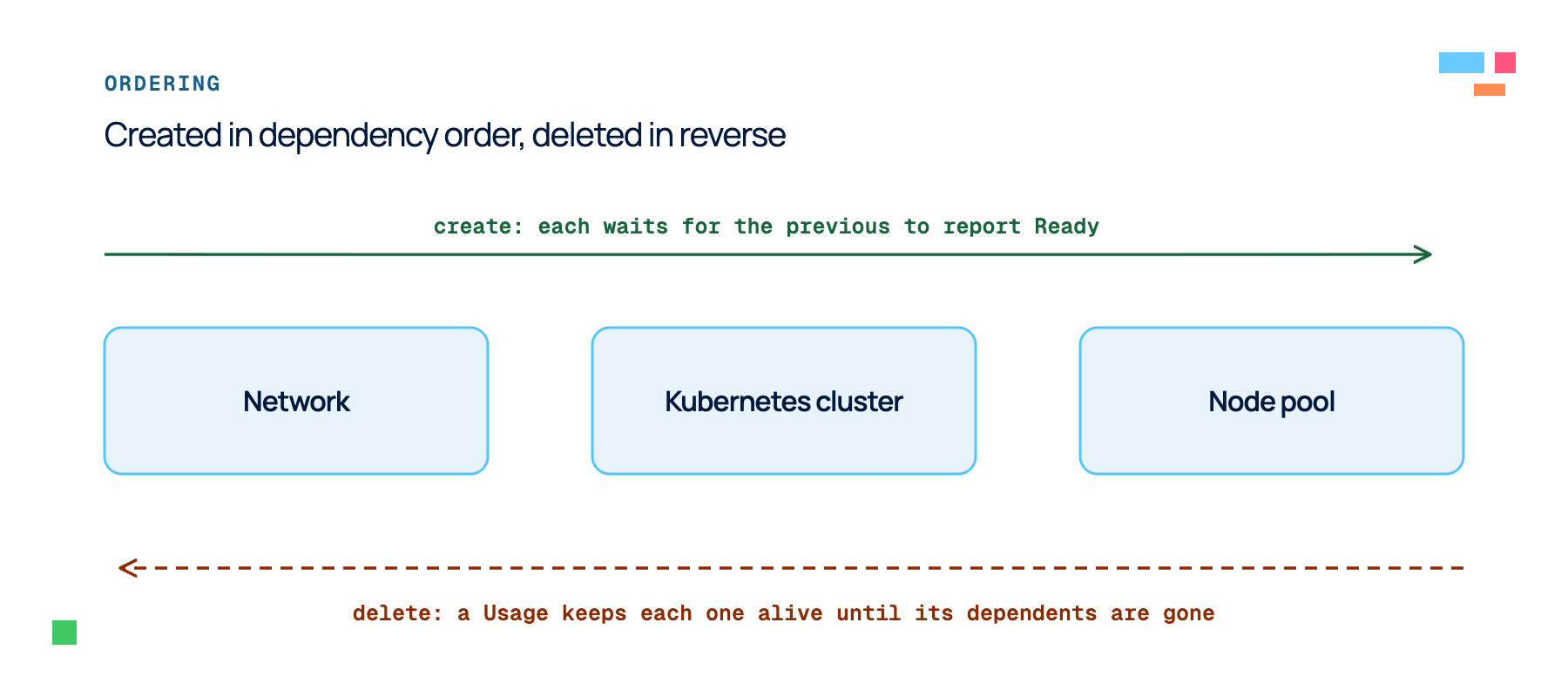
A dependency chain (Network, then Kubernetes cluster, then Node pool) created left to right as each one reports Ready, and deleted right to left as a Usage keeps each resource alive until its dependents are gone.
Testing infrastructure that builds clouds
Infrastructure as Code that builds real clouds is expensive to test the obvious way: you would have to instantiate a complete cloud infrastructure on every change. That is too slow for a pull request, so most of our checking runs without a cloud. But before a release is shipped, a real end-to-end test is performed.
The first asks whether a composition produces the right resources. On every change to compositions, XRDs, or functions, CI runs each composition through crossplane render. render means Crossplane executes the compositions and writes their output as text files. A Go test suite then asserts on the output. The tests check logic, not just presence: which branch a template takes, how a loop behaves at zero, one, and many items, what an optional field does when omitted, that a guard fails with the right message. Coverage grows as we add or update compositions and create new tests.
The second asks whether Crossplane will accept our whole Infrastructure as Code setup. A separate job stands up a throwaway Kubernetes KinD cluster, installs the production version of Crossplane, and applies our code: functions and providers, then provider configs, then every XRD and composition. It waits for the functions to go Healthy and our CRDs to be Established, and fails if anything is rejected. Rendering cannot catch a schema the API server refuses or a function that will not start; this does.
Neither check touches a real cloud. The CI cluster has no credentials, so it never creates a VPC or a cluster, and never exercises real provider configs, OIDC, or cloud APIs. For that we run an end-to-end test against a staging account: it provisions a full managed environment, creates a workspace for each table format (Iceberg, Delta, Hudi), runs a Spark smoke test on each (create a Qbeast table, write to it, convert a native table, confirm auto-optimization, check the portal), and tears it all down. It is slow and spends real money, so it is not a per-PR gate; it is how we get confidence before shipping. The two CI checks catch the common mistakes in seconds; the end-to-end test catches the rest.
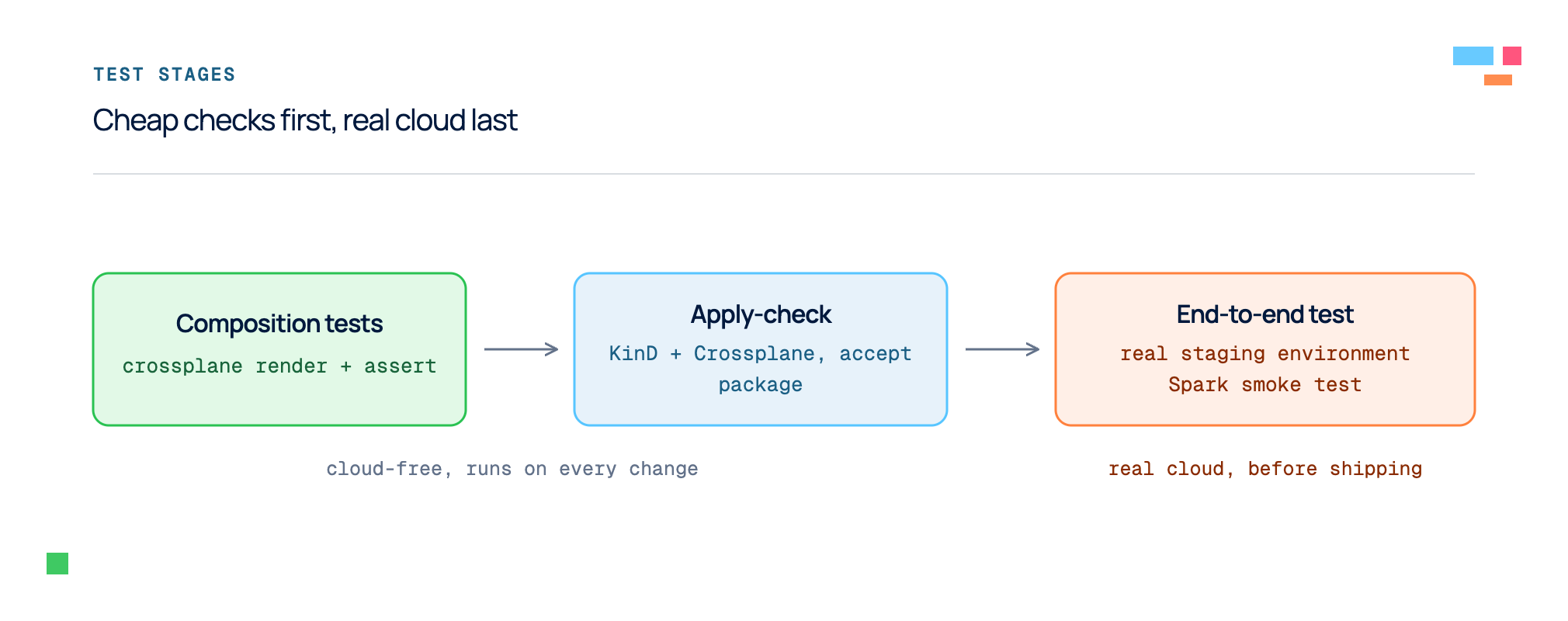
Three checks of increasing cost.
Conventions only hold if people follow them: the two-tier split, the labels the factory matches on, the Go Templating traps, the checks above. We wrote them into a Claude Code skill that loads whenever someone edits the compositions. It says where things live, walks through the edit-render-test loop, and flags the traps, so people and AI agents work the same way as the stack count grows.
What we changed our minds about
The design we proposed and the system we shipped differ in a few instructive ways.
We first modeled deployments as a flat list of scenarios, each bundling the infrastructure and the workload into one XRD schema. Then we found a cleaner line: an environment is the cloud-specific part (VPC, cluster, access), while a workspace is mostly Kubernetes deployment and nearly cloud-agnostic (for example, crafting the right configuration for our backend depends on the underlying cloud platform). Splitting them put the boundary where the clouds stop differing, and eased the creation of new deployment scenarios supporting other cloud providers.
The other changes came from Crossplane v2 released mid-flight, and we adopted it immediately. It let us drop the Claim concept entirely, simplifying the code base. Around the same time we migrated composition authoring away from Patch & Transform, which was headed for deprecation, to Go Templating. We also used KCL on the stacks where its typed, programmatic style beats templating. And we retired a CEL filter function we had briefly used to order stack creation (gating, for example, the cluster on the network being ready) after realizing that the same ordering emerged from the Go Templating guards, which allowed us to remove one more function dependency.
Conclusion
Using a cloud resource or two feels very simple and straightforward, but deploying and managing entire software stacks is far from trivial. There are many moving parts that can fail and ensuring that we can roll out our stack, service existing instances and manage even different versions across customers, all that while operating across clouds, requires a good amount of engineering.
We have gone through this exercise in the recent past of designing and implementing different deployment modes across clouds. One main goal we had was to reduce as much as possible logic duplication across clouds, which took us in the path we described in this post. We found Crossplane to be incredibly useful when coming up with our design, although we might have stressed and deviated some from the Crossplane original target — e.g., we are not aware of others trying to use it for multi-cloud deployments like ours.
In this post, we described how our control plane, part of our split-plane architecture, has been implemented. We made some important design decisions on the Control plane API and Crossplane that make us comfortable on its long-term maintenance and evolution. Next we will write about the operational side: how we package our SaaS product, release it and roll out to live customer environments.